

How To Add TVLine As A Preferred Source On Google
Do you ever find yourself scrolling through Google and wishing that TVLine and your other go-to websites were at the top of the page? Well, thanks to Google's Preferred Sources feature, you can finally make that happen.
Google's Preferred Sources tool is a fairly recent addition to the search engine, having debuted in the U.S. in August 2025. The feature allows users to customize newsfeeds by manually selecting which websites they want to see more of. Google then works its magic, and content published by your chosen outlets should appear in the "Top Stories" section of the search engine's feed. Alternatively, you can also find stories in a tab titled "From Your Sources."
How does it work? It's a pretty simple process you'll be able to complete in no time at all — we're talking seconds. So, allow us to walk you through it with this quick guide.
How to Use Google's Preferred Sources Feature
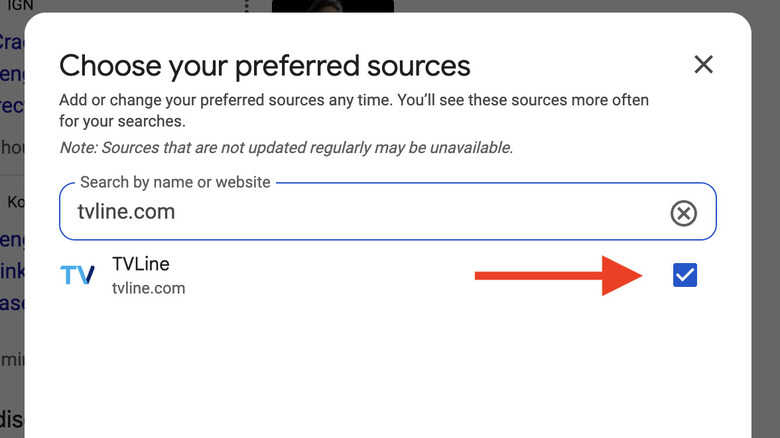
There are two ways to add TVLine to your list of Preferred Sources. The first requires you to open your search bar, type in a newsy topic, and press the enter button. This should bring up the "Top Stories" section, which features a symbol with a star on it at the right-hand side. Click on that symbol, and you will be directed to a page that reads "Choose your preferred sources." Simply add tvline.com to the appropriate section, and you're good to go after the page resets.
 Static Media
Alternatively, you can click on Google's source preferences tool, search "tvline.com," and the website will appear in a dropdown menu. Once again, all you have to do is tick the box, hit the "Take me to Google search" function at the bottom of the screen, and prepare to see the latest television news at the top of your feed whenever you browse the internet.